FL Studio has become a staple in the world of electronic music production, offering a user-friendly interface and a wealth of powerful features. Whether you are a budding producer or an experienced musician, understanding the tools within FL Studio can significantly enhance your creative process. This blog post dives deep into the most useful features of FL Studio, guiding you through its capabilities from the user interface to sound design techniques. You’ll not only learn how to navigate the software but also how to harness its full potential to create stunning tracks that resonate with your audience.
User Interface and Workflow
FL Studio’s user interface is designed to be intuitive, allowing users to focus on their creativity rather than getting bogged down by complicated navigation. Customizing the user interface to suit your workflow can greatly enhance your productivity. You can rearrange windows, resize panels, and even create your own layouts to streamline the process. This level of customization means that you can keep your most-used tools at your fingertips, reducing the time spent searching for features.
One of the most effective ways to speed up your workflow in FL Studio is by utilizing keyboard shortcuts. Familiarizing yourself with the essential shortcuts can shave minutes off your production time, allowing you to focus more on your music. For instance, using shortcuts for common actions like copying, pasting, and zooming can make a significant difference. The more you practice these shortcuts, the more natural they will become, transforming your workflow into a seamless experience.
Detailed Mixer Functionality
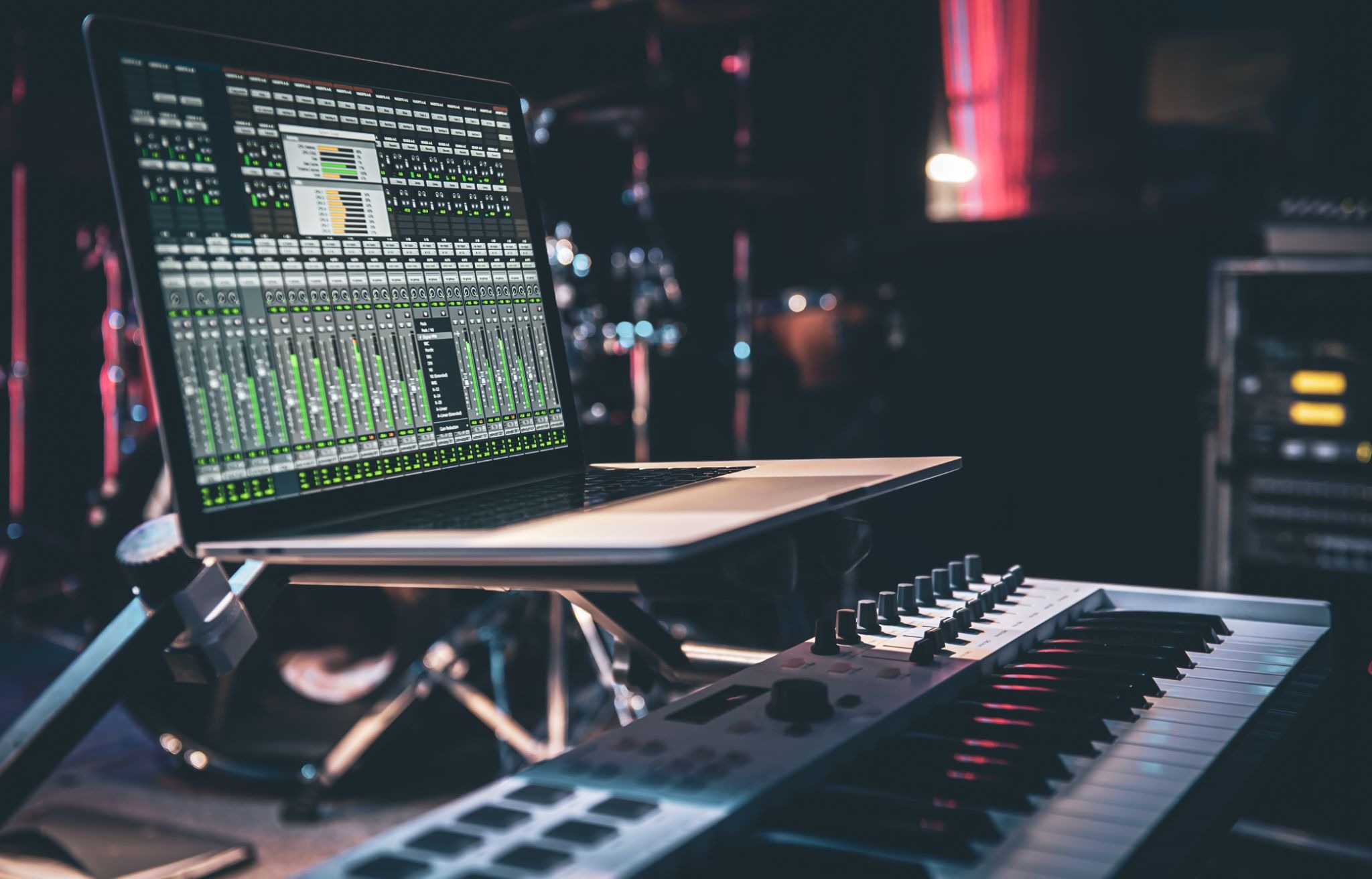
The mixer in FL Studio is a powerful tool that provides a detailed environment for mixing and applying effects to your tracks. Understanding how to use the mixer effectively is crucial for achieving a polished, professional sound. Routing your audio tracks through the mixer allows you to apply individual effects, which is essential for creating a unique sonic signature. You can utilize various effects such as reverb, delay, and equalization to shape your sound and create depth.
Using sends and buses in the mixer further enhances your mixing capabilities. Sends allow you to send a portion of your audio signal to an effect channel, which can be particularly useful for creating ambient effects without affecting the original track. Buses, on the other hand, enable you to group multiple tracks together, allowing for collective processing. This approach simplifies your mixing process and helps maintain a clean arrangement, especially when dealing with complex projects.
Pattern and Song Modes
FL Studio operates on two primary modes: Pattern Mode and Song Mode. Understanding the differences between these modes is essential for efficient production. Pattern Mode allows you to create loops and sequences, making it ideal for designing individual musical ideas. You can focus on building melodies, drum patterns, and basslines without the distraction of the full arrangement.
Once you have developed your ideas, switching to Song Mode allows you to arrange those patterns into a full track. This mode gives you a broader view of your project, enabling you to arrange, edit, and manipulate your patterns on the timeline. To effectively utilize both modes, consider creating your initial musical ideas in Pattern Mode and then transitioning to Song Mode for arrangement. This workflow not only keeps your creative flow intact but also allows for greater flexibility in your production.
Synthesizers and Samplers
FL Studio is known for its rich selection of built-in synthesizers and samplers that cater to electronic music producers. Some of the best synthesizers include Sytrus, Harmor, and Serum, each offering unique sound design capabilities. Sytrus, for example, is a powerful FM synthesizer that can create complex, evolving sounds, while Harmor excels in additive synthesis. By exploring these synths, you can discover a wide range of sounds that can elevate your tracks.
In addition to synthesizers, samplers play a crucial role in expanding your sound palette. FL Studio comes with various samplers, such as DirectWave and Slicex, which allow you to manipulate audio samples creatively. Using samplers, you can chop, stretch, and rearrange audio, adding unique textures to your music. Incorporating samples into your production not only enhances your sound but also allows you to experiment with different genres and styles.
Automation and Modulation
Automation is a powerful feature in FL Studio that allows you to create dynamic and evolving tracks. By automating parameters such as volume, panning, and effects, you can bring your compositions to life. For instance, gradually increasing the reverb on a vocal track during a chorus can create an emotional lift, engaging your listeners on a deeper level. Understanding how to use automation effectively can transform a static mix into a dynamic auditory experience.
Modulation is another essential aspect of sound design in FL Studio. Utilizing LFOs (Low-Frequency Oscillators) and envelopes allows you to shape your sounds over time. By modulating pitch, filter cutoff, or volume, you can create movement and interest within your sounds. For example, using an LFO to modulate the filter cutoff of a synth can create a pulsating effect that adds excitement to your track. Experimenting with these modulation techniques can lead to unique sounds that stand out in your productions.
Plugins and Extensions
While FL Studio comes with a robust collection of built-in plugins, exploring third-party plugins can further enhance your production capabilities. Many producers rely on popular plugins like Serum, Massive, or Kontakt to expand their sound libraries. These plugins often offer unique features and sounds that can complement the built-in tools, allowing for a broader range of creativity.
When integrating third-party plugins into FL Studio, organization is key. Keep your plugins organized in a way that makes sense to you, whether by genre, type, or frequency of use. This organization will save you time and help you focus on your music rather than searching for the right tool. Additionally, be mindful of your CPU usage; some plugins can be resource-intensive, so optimizing your project settings can help maintain smooth performance.
Sound Design Techniques in FL Studio
Sound design is at the heart of electronic music production, and FL Studio provides a plethora of tools to create distinct sounds. Filtering and EQ are fundamental techniques that can help you achieve clarity in your mix. By applying filters to remove unwanted frequencies, you can clean up your sound and create space for other elements. For example, using a low-pass filter on a synth can help it sit better in the mix by removing harsh high frequencies.
Experimenting with effects is another avenue for creativity. FL Studio offers a wide range of effects, including chorus, flanger, and distortion, which can drastically alter your sounds. Don’t be afraid to push the boundaries of your sound design by layering effects and experimenting with different combinations. This exploration can lead to discovering your unique sonic identity, which is crucial in the crowded world of electronic music.
Exporting and Releasing Tracks
Once you’ve crafted your masterpiece, the next step is exporting your track. FL Studio allows you to export your music in various formats, including WAV, MP3, and OGG. It’s essential to choose the right format based on your distribution needs; for instance, WAV files are ideal for mastering, while MP3s are more suitable for online sharing. Before exporting, ensure that your levels are balanced and that your mix is polished to achieve the best possible sound quality.
After exporting your track, it’s time to think about releasing and marketing your music. Consider utilizing platforms like SoundCloud, Bandcamp, or Spotify to reach wider audiences. Social media is also a powerful tool for promoting your music; share snippets, behind-the-scenes content, and engage with your followers. Building a brand around your music can create a loyal fanbase and open doors for future opportunities in the industry.
Conclusion
FL Studio is a powerful tool for electronic music producers, and understanding its features can significantly enhance your production process. From the user-friendly interface to advanced mixing capabilities and sound design techniques, FL Studio offers everything you need to create professional-sounding tracks. By exploring these features and implementing expert advice, you can unlock your full creative potential and elevate your music to new heights. Remember, the journey of music production is as much about discovery and experimentation as it is about creating. Dive deep into FL Studio, and let your creativity flow.
Frequently Asked Questions
Which FL Studio features are most useful for beginners?
For beginners, the Piano Roll, Playlist, and basic mixing functionalities are essential starting points.
How can I optimize FL Studio’s performance on my computer?
To optimize performance, consider adjusting your audio settings, increasing the buffer size, and closing unnecessary applications.
Are there specific tutorials for certain FL Studio features?
Yes, FL Studio offers a wealth of tutorials on their official website and YouTube channel, covering a wide range of features and techniques.